What steps should I follow to clean the Node-S airways if it reports unusually high or erratic PM2.5 values?
If your Node-S is reporting unusually high or erratic PM2.5 values, a blockage in its airways, like a bug or spider web, is often the cause. This article walks you through clearing it with compressed air. You generally only need to do this when readings are erratic or unusually high.
Before you start
- Use compressed air safely. Follow the bottle's instructions, don't spray longer than it recommends, and never spray compressed air upside down.
- Gather your equipment:
- A small flashlight
- An adjustable wrench
- A piece of wire
- A can of compressed air
- If you have any questions, contact support@clarity.io before you start.
1. Power off and open the air inlet
This stops the fan so you can safely clear it.
- Unplug the solar cable or power adapter cable from the body of the device to turn it off.
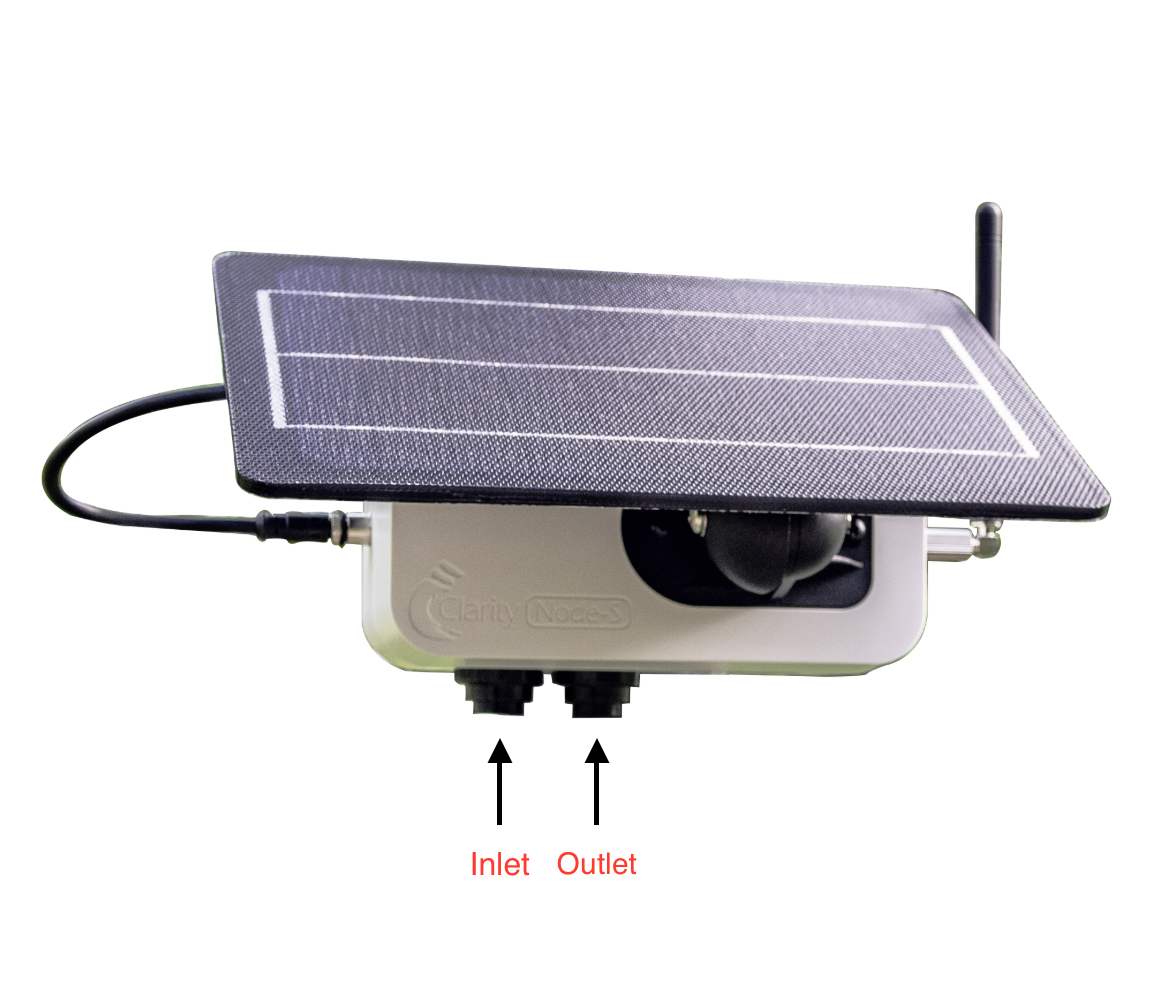
- Identify the air inlet cover, the knob closer to the power connector.
- Remove the black cap using an adjustable wrench.
2. Secure the fan
This keeps the fan from spinning freely while you clean it.
- Using the flashlight, find the slits of the fan in the metal chassis inside the inlet.
- Insert the wire between the slits of the fan so it won't spin.
3. Clear the blockage
With the fan secured, blow compressed air into each of the slits to clear any obstructions. Repeat as needed, keeping each spray within the time recommended on the can.
4. Reassemble and confirm it's working
- Reattach and secure the inlet cover.
- Reconnect the solar cable or power adapter cable.
- Confirm the device restarts and uploads data.
- Check whether the erratic PM2.5 issue is fixed, you should see improvement within the next 1-2 datapoints. To check, open the Historical Data tab, under AIR QUALITY, and view the highest-resolution data for the device.
You're done! If the readings are back to normal, the blockage is cleared. If not, contact support@clarity.io and we'll help with next steps.
What's next
Still need a hand? Email us at support@clarity.io or create a support ticket, and our team will get back to you.
Was this helpful?